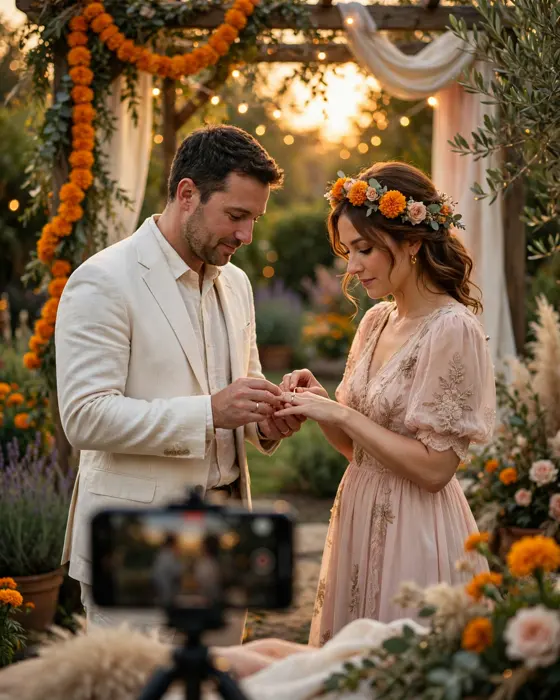
Unique Engagement Announcement Ideas for Instagram
An Instagram announcement is how many couples first share their engagement with the wider world. The best announcements feel personal, look beautiful on a phone screen, and still leave something special for the ceremony itself.

In short
An announcement should reveal the news in the first second, before a viewer scrolls past.
The most memorable announcements use the couple's own story, not a copied trend.
Keep the caption short and the details for the invitation. Instagram announces, the invitation invites.
What it means
An engagement announcement for Instagram is a post, reel, or story that tells followers the couple is engaged. It may be a photo of the ring, a short video of the proposal or ring ceremony moment, a carousel of favourite photos, or a creative reveal using the invitation itself. Unlike a formal invitation, it is public, visual, and designed to be shared and celebrated in comments.
Announcements matter because they set the public story of the engagement. Friends, colleagues, and extended family often learn the news here first. A thoughtful announcement makes that moment joyful, while a rushed one can feel anticlimactic. Couples should agree together on what to share, and what to keep private for family.
What your invitation can do
- A video invitation. A Cinematic Invite turns your invitation into a short film style invitation that guests can watch and forward.
- An app invitation. An Invite App carries the invitation, the event details, and the schedule in one place guests can open on their phones.
- A suite of designs. Invitation Suites give you a matching set of designs for the occasion, so every message you send looks like part of one celebration.
On MyIndiAura, the invitation itself can become part of the announcement. A short clip or a beautiful frame from the video invitation, shared with the couple's own caption, announces the news with the same design guests will later receive as the invitation.
Options to consider

- The ring reveal. A close photo or short video of the ring, with a simple caption announcing the engagement.
- The moment reel. A short reel of the proposal or ring exchange, edited to music the couple loves.
- The photo carousel. Favourite photos of the couple through their story, ending on the engagement photo.
- The invitation teaser. A beautiful frame from the invitation video, shared as a teaser before invitations go out.
- The family celebration. A photo or reel of both families celebrating together, showing the union of families, not just the couple.
- The handwritten note. A photo of a short handwritten announcement, personal and timeless, suited to couples who prefer understatement.
Style tips
Choose a visual that works on a small phone screen, with the couple or the ring clearly visible without zooming. Avoid text heavy images, since Instagram compresses text and small words become unreadable. One strong image beats a collage of many small ones.
Write a caption that sounds like you. Tag the people who should be tagged, thank the families if you wish, and keep the ceremony details out of the caption. Those belong in the invitation, sent personally to guests.
An announcement is a celebration, not a press release. Let it sound like joy.
What you need
- [ ] A photo or video the couple both love, in good light and high quality.
- [ ] Agreement on what is public and what stays private for family.
- [ ] A short caption, written together, not copied from another couple.
- [ ] Permission from family members who appear in the photo or video.
- [ ] The invitation ready, or nearly ready, if the announcement teases it.
- [ ] A plan for replying to comments, so well wishers feel thanked.
How to share it
- Announce to elders and close family personally first, before anything goes public.
- Post the announcement at a time when friends are likely to see it, usually evening.
- Share the announcement in stories as well, for friends who miss the main post.
- Send the formal invitation separately, personally, to guests. Instagram is not a substitute for inviting.
- After the announcement, reply to comments warmly, and save the post for the couple's own memories.
What it costs
A MyIndiAura invitation comes in three options. A Cinematic Invite costs ₹499, an Invite App costs ₹399, and Invitation Suites cost ₹99. Pick the one that fits the occasion and the budget, and keep the rest of the budget for the event itself.
How to create yours
- Open the designs page and pick a design that suits the occasion.
- Add the names, the date, the venue, and the event details, exactly as they should appear.
- Read every line aloud once, and check names, dates, and spellings with one other person.
- Preview the invitation on your phone, the way your guests will see it.
- Choose a Cinematic Invite, an Invite App, or an Invitation Suite, and complete your order.
- Share the finished invitation with your guests, starting with the people closest to you.
Create your engagement invitation on MyIndiAura, and let your announcement and your invitation share one beautiful design.
Related reading
Found this useful? Share it with someone planning a celebration.
Share