Digital Wedding Invitations: The Complete Guide
What a digital invitation is, what it can do, what it costs, and how to choose one that feels like your wedding.
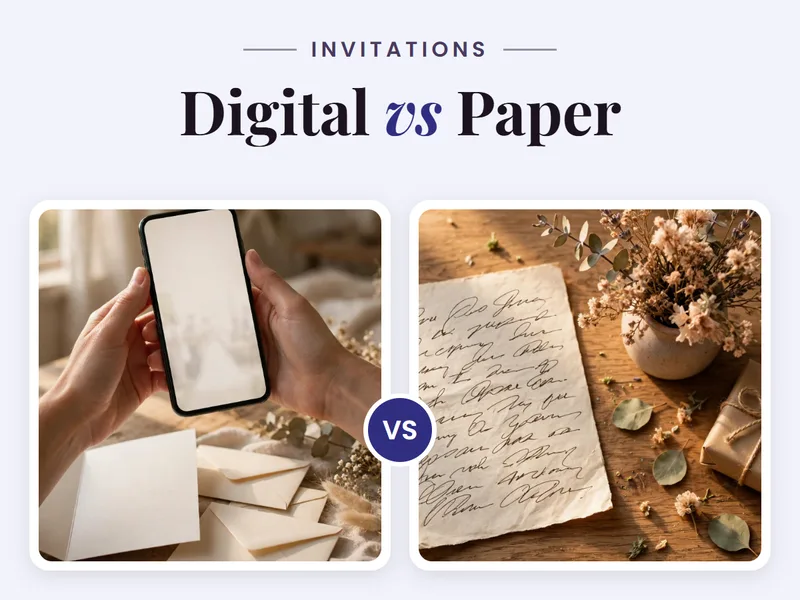
The news of a wedding now travels phone to phone, often before the printed card has been ordered. That speed is a gift, but it has a cost: the first thing many guests see is a forwarded photo, cropped at the edges, with the venue name cut off. A digital invitation fixes exactly that moment. It gives the speed of the phone and the care of a real invitation, in the same place.
What a digital invitation is
A digital invitation is a link. A guest taps it and the invitation opens on their phone. There is nothing to install and nothing to download.
In one place, guests find the couple's names, the date and time, the venue with directions, the schedule of functions, photographs, and a way to reply. When a detail changes, the invitation can be updated once, and every guest sees the new version. Paper cannot do that. A forwarded image cannot do that either.
What it can do
A good digital invitation is a working page, not a picture of a card. The features that matter most:
- The whole celebration, function by function. Haldi, mehendi, sangeet, wedding, reception: each function gets its own date, time, venue, and dress code, so guests never have to ask which day is which.
- Venue help that actually helps. The address can be copied, directions opened, or a cab booked straight from the invite. Outstation guests, who need this most, get it without a single extra message.
- A reply inside the invite. Guests answer Yes, Maybe, or No, with an optional note. The couple stops chasing replies across five different chats.
- A countdown, photographs, and language options. A live countdown keeps the date present. Photographs make the page personal. Language options let guests read in the language they are comfortable with.
- One link to share. The same link travels on WhatsApp, SMS, or any messaging app, and the Share option stays on screen throughout.
- A cinematic video option. For the first announcement, a short film-style invitation with music and motion opens on the theme and ends on the invitation itself. It is the version everyone forwards.
Choosing a style
Style is the first signal of what kind of wedding this will be. Four directions cover most celebrations:
- Classic ivory. Quiet, with a thin gold line and nothing extra. It suits traditional venues and morning ceremonies, where restraint reads as grace.
- Royal burgundy. Deep colour with a gold arch. It suits evening celebrations in palaces and grand hotels, where the invitation should feel as formal as the room.
- Blush floral. Romantic watercolour flowers on a soft ground. It suits garden celebrations and daytime weddings, where lightness is the point.
- Sage contemporary. Clean botanical lines on a muted green ground. It suits modern, outdoor, and smaller weddings, where the couple wants the design to feel current without feeling loud.
Look at your venue and your outfits first, then choose. View the shortlist on your own phone before deciding. An invitation that looks grand on a laptop can feel heavy on a phone screen, and the phone is where your guests will meet it.
What it costs
Digital invitations have no printing bill, no courier bill, and no cost per guest. One design serves every guest. On MyIndiAura, the options are a Cinematic Invite at ₹499, an Invite App at ₹399, and Invitation Suites at ₹99, paid once with no charge per guest. The pricing page always has the current prices.
Sharing it well
Most Indian weddings are now announced on WhatsApp before any printed card reaches anyone. The order matters more than the design:
- Family first, 6 to 8 weeks before. Personally, to elders and close family. A link in a personal chat.
- Friend circles, 4 to 6 weeks before. Use a broadcast list, not a group. Groups bury your message under stickers, and broadcast lists keep replies private.
- Everyone else, 3 to 4 weeks before. One clean broadcast with the link and a short note.
- Reminder, 3 days before. The same link again, with the venue and time. Most guests lose the first message.
Before you start
Have these ready and the design moves fast:
- The couple's names, exactly as they should appear.
- The date and time of each function you are inviting guests to.
- Venue names and addresses, checked with both families. Confirm spellings before designing, since a corrected re-send is easy to avoid.
- A short welcome line, in your own words.
- An RSVP contact, one name and number guests can actually reach.
- Photographs, only if your chosen design uses them.
The test before you send
Preview the invitation on your own phone before sending. If it reads well on your phone, it will read well on theirs. Check the names, the dates, the venue spellings, and the RSVP button. Then send it in the order above, family first.
The invitation is the first thing your guests hold of your wedding. Make it clear about the details, generous with the beauty, and easy to answer. That is the whole job of a digital invitation, and it is enough.
See it on a real invite
Open any of these to see the full invite, then add your own names and preview it free.


Found this useful? Share it with someone planning a celebration.
Share